How to Join Galiaraa as a Creator
Sign up, post the footage and the itinerary behind it, and it's live — no follower minimum required. Here's exactly what it takes to publish your first journey.

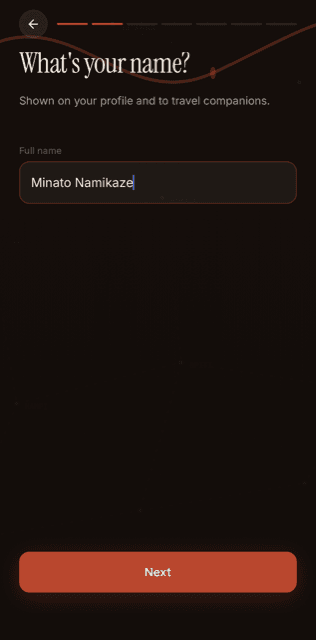
- Signing up takes about two minutes: email, name, birthday, handle, password.
- Anyone who went somewhere real can post — no follower minimum, no application.
- Every post needs two things together: the video, and the day-by-day itinerary behind it.
There's no application, no review board, no follower count to clear before anyone takes your videos seriously. A Creator on Galiaraa is just someone who went somewhere real and is willing to show their work: the footage, and the itinerary that backs it up. That's the whole bar.
If you've already got a journey on your camera roll you haven't done anything with, this is the part where you turn it into your first post. But first, the two minutes it takes to actually get in.
Creating your account
Sign-up asks for an email or mobile number, your name, your birthday (private — it never appears on your profile), and how you identify. None of it is used for anything except the basics: verifying you're a real person and personalizing your feed.
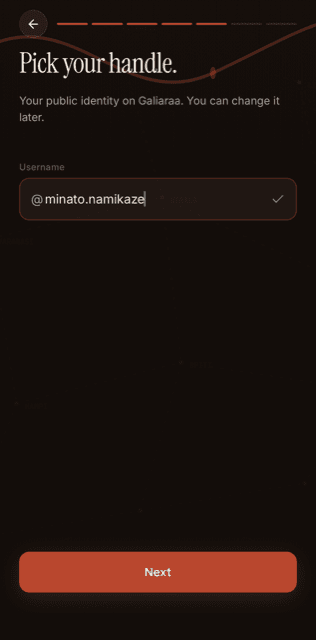
The one field worth pausing on is your handle — it's your public identity on Galiaraa, what shows up on every post and every itinerary you publish. You can change it later, but it's the name people will start recognizing your journeys by, so it's worth a second thought before you lock it in.

Telling us how you travel
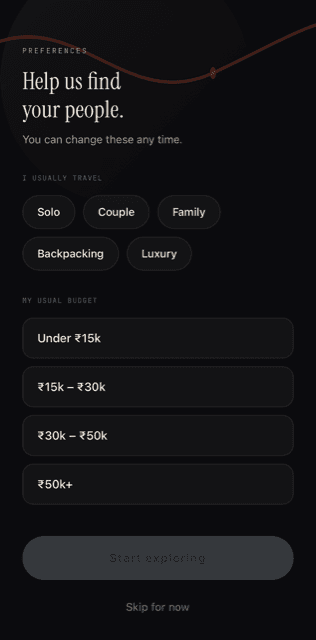
Last step before you're in: how you usually travel (solo, as a couple, family, backpacking, or luxury) and your usual budget range. This isn't a form you're stuck with — every one of these is editable later from Settings — it just means your very first scroll through Discover already looks like it was built for you instead of for nobody in particular.
Your profile, from day one
A brand-new account starts at zero — zero routes, zero followers, zero following — with a Creator Studio card sitting right there waiting for your first upload. Nothing about the empty state is hidden or locked behind a tier.
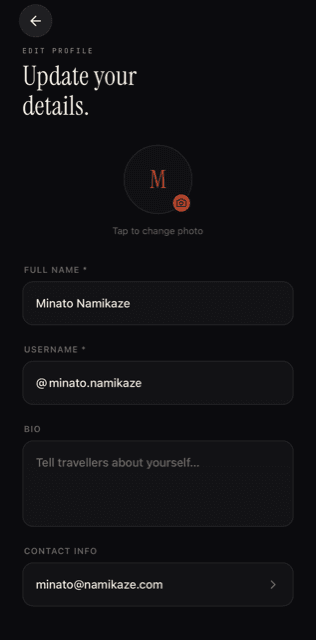
Your name, handle, bio, and photo all live in one place — Settings → Edit Profile — and none of it is locked in from sign-up. Tap the camera icon to add a real photo, and the bio field is there for the one line that tells someone who's about to follow you what kind of journeys to expect.
What you actually need before you upload
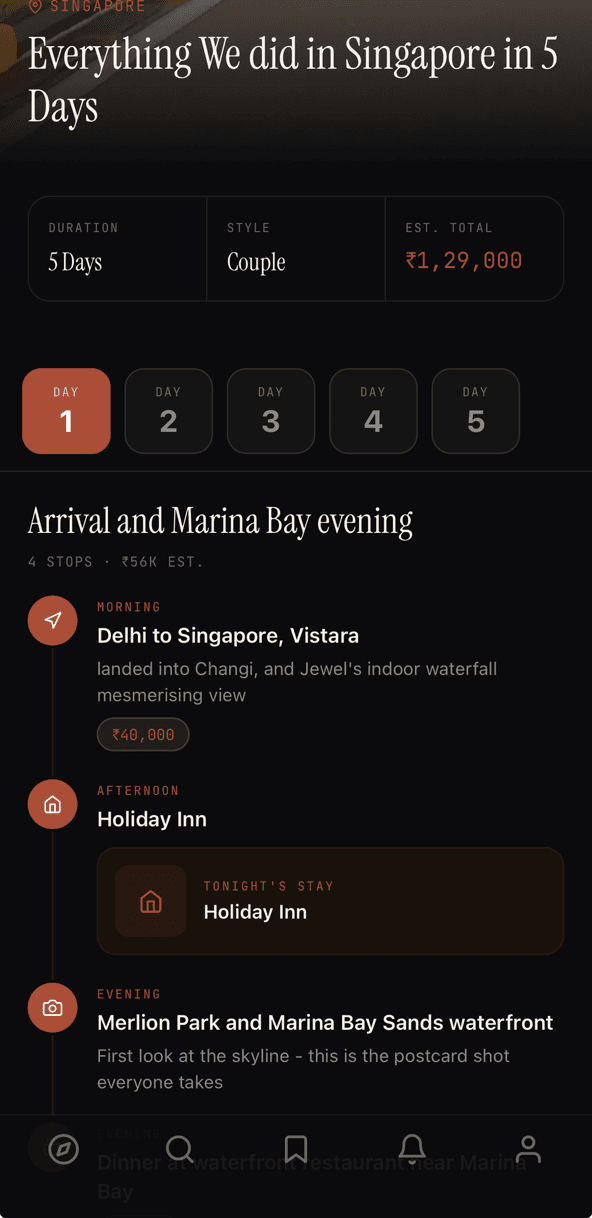
Two things, and they have to arrive together: the video of your journey, and the itinerary behind it — every stop, every stay, the exact ₹ you spent, not a rounded guess. A video with no itinerary is just a travel clip; an itinerary with no video is just a spreadsheet. Galiaraa exists because the two together are proof, not a pitch.
Both have to be real. Fabricated or AI-generated journeys aren't allowed on the platform — every post is reviewed for authenticity before it goes live, which is also why a highlight reel isn't the goal here. The broken air conditioning and the 4am construction noise are more useful to the next traveler than a cut where none of that happened.
Building the post in Creator Studio
- Upload the raw footage — up to 10 minutes, not a short-form clip.
- Add the itinerary next to it, one day at a time: where you stayed, where you went, what it cost.
- Submit for review. Authenticity gets checked before anything goes live, not after.
- Once it clears, it's live in the Discover feed — for every traveler, immediately.
—You don't need followers to start. You need to have actually gone.
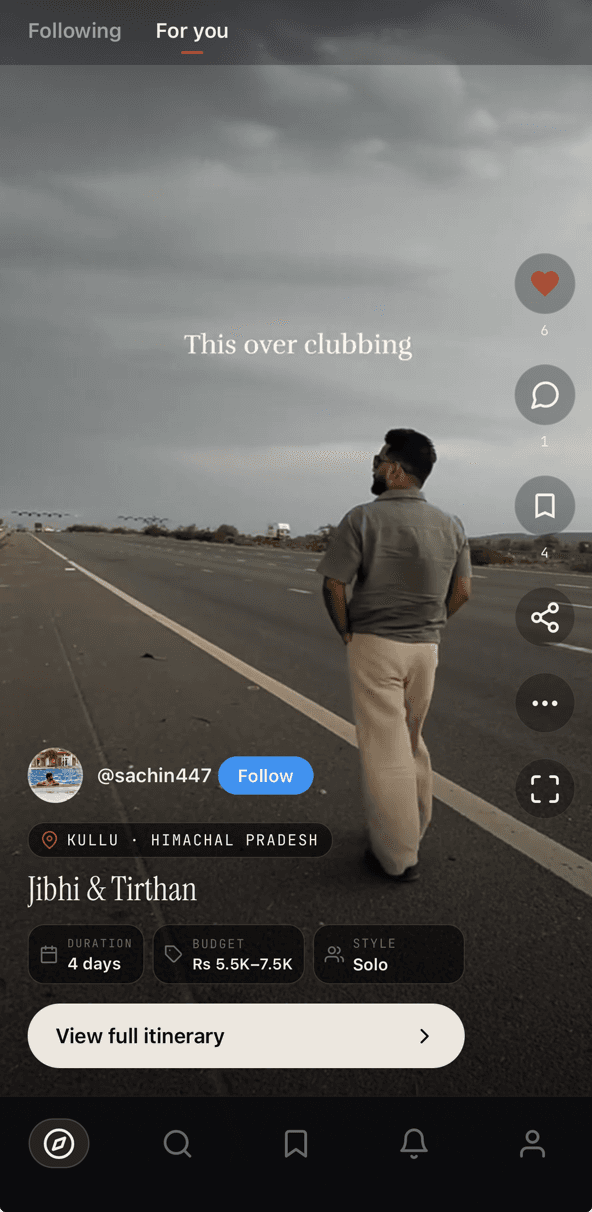
Where the post goes once it clears review
It lands in the same Discover feed every traveler scrolls — no separate creator-only tier, no gated audience, no algorithm deciding whether it's worth surfacing. From there it's searchable by state, budget, and trip type, and it stays attached to your profile for anyone who follows you afterward.